

Inside the app
What the guide sees on the phone
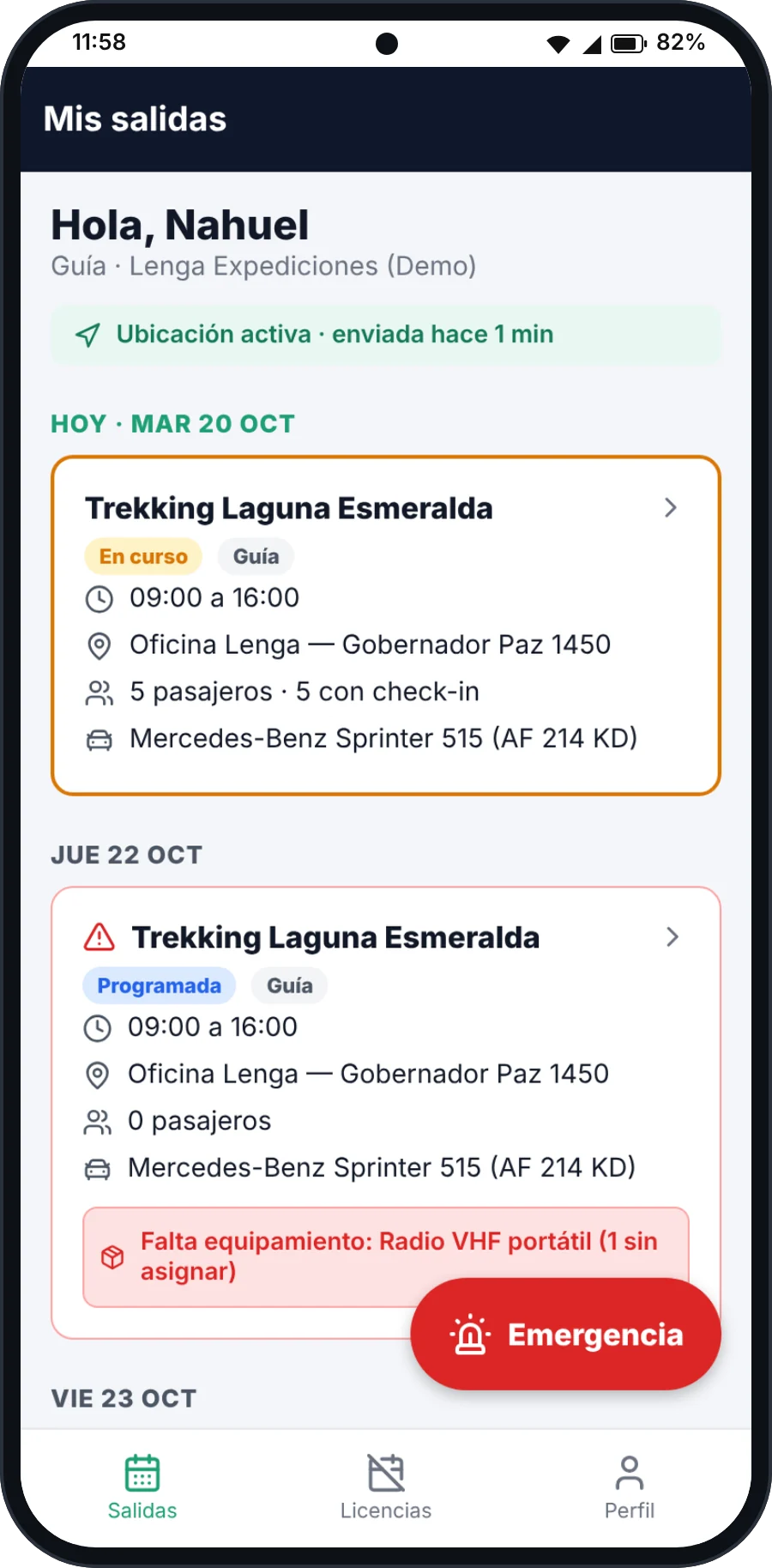
My trips
Today's schedule and the next days, with what is still unassigned and live location.
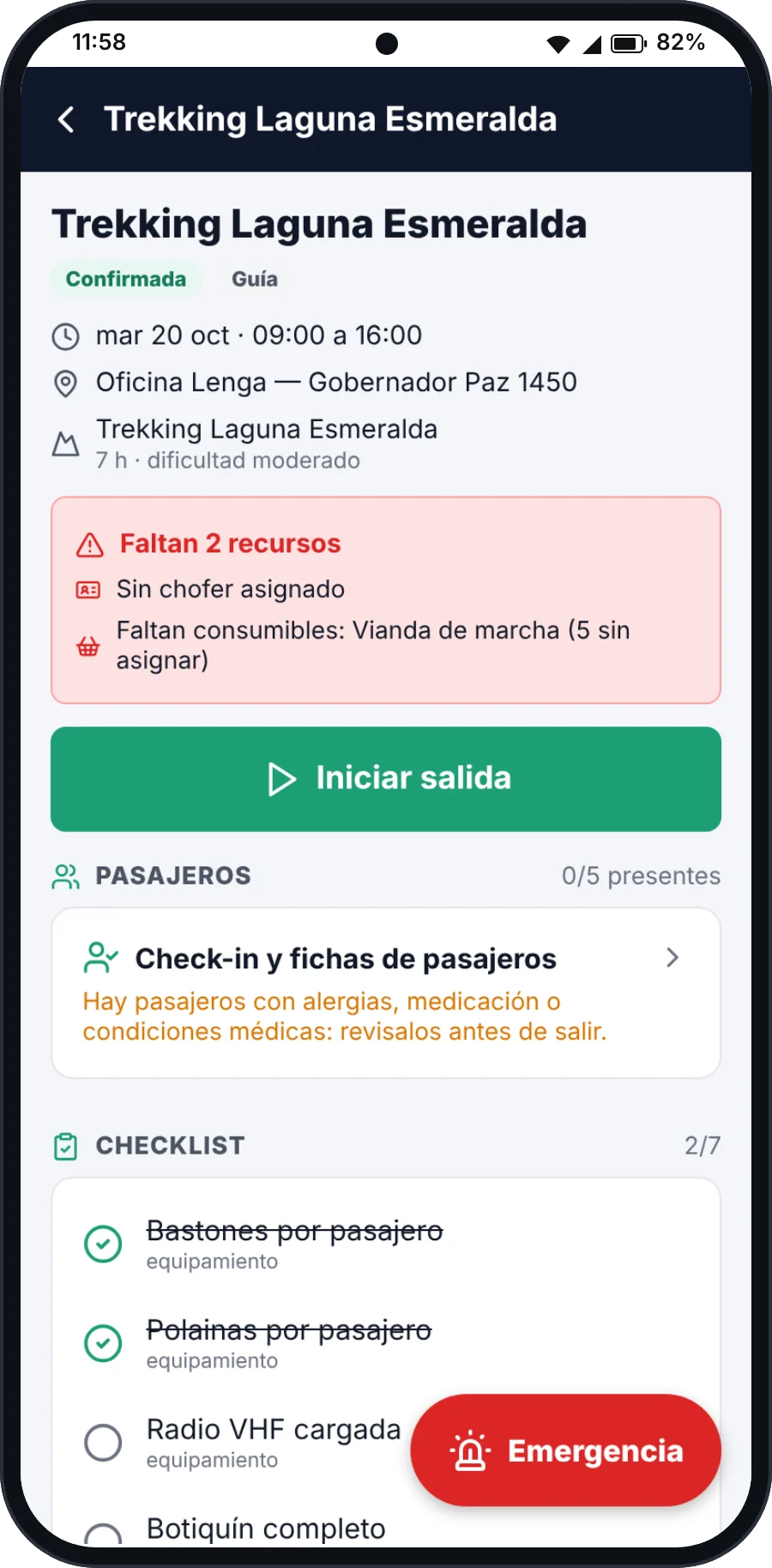
Trip details
Times, meeting point, medical notes and the checklist before leaving.
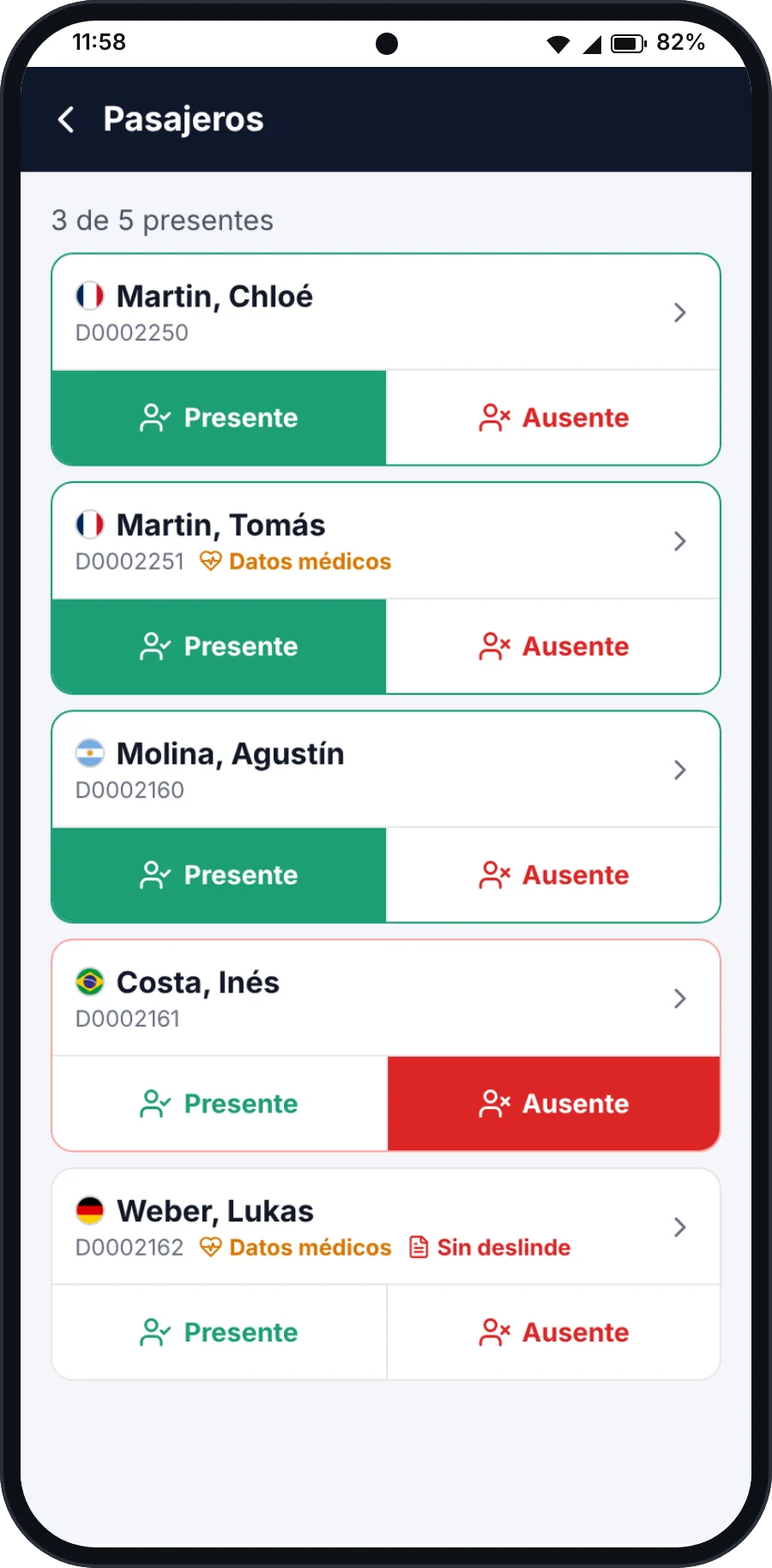
Passenger check-in
Who showed up at the meeting point, with each passenger's flag, medical data and waivers.
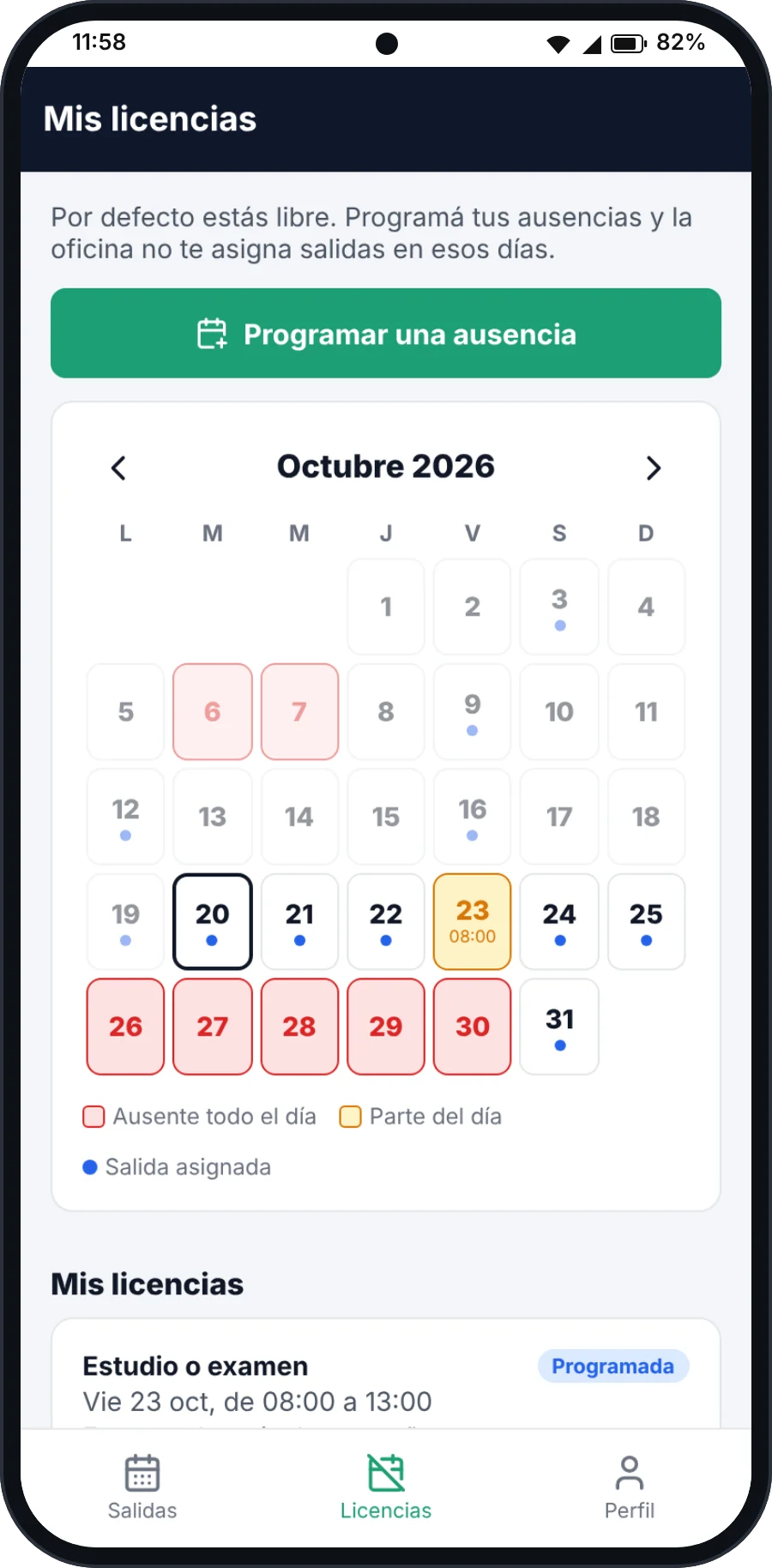
My leave
The month with scheduled absences and assigned departures, plus the leave history.
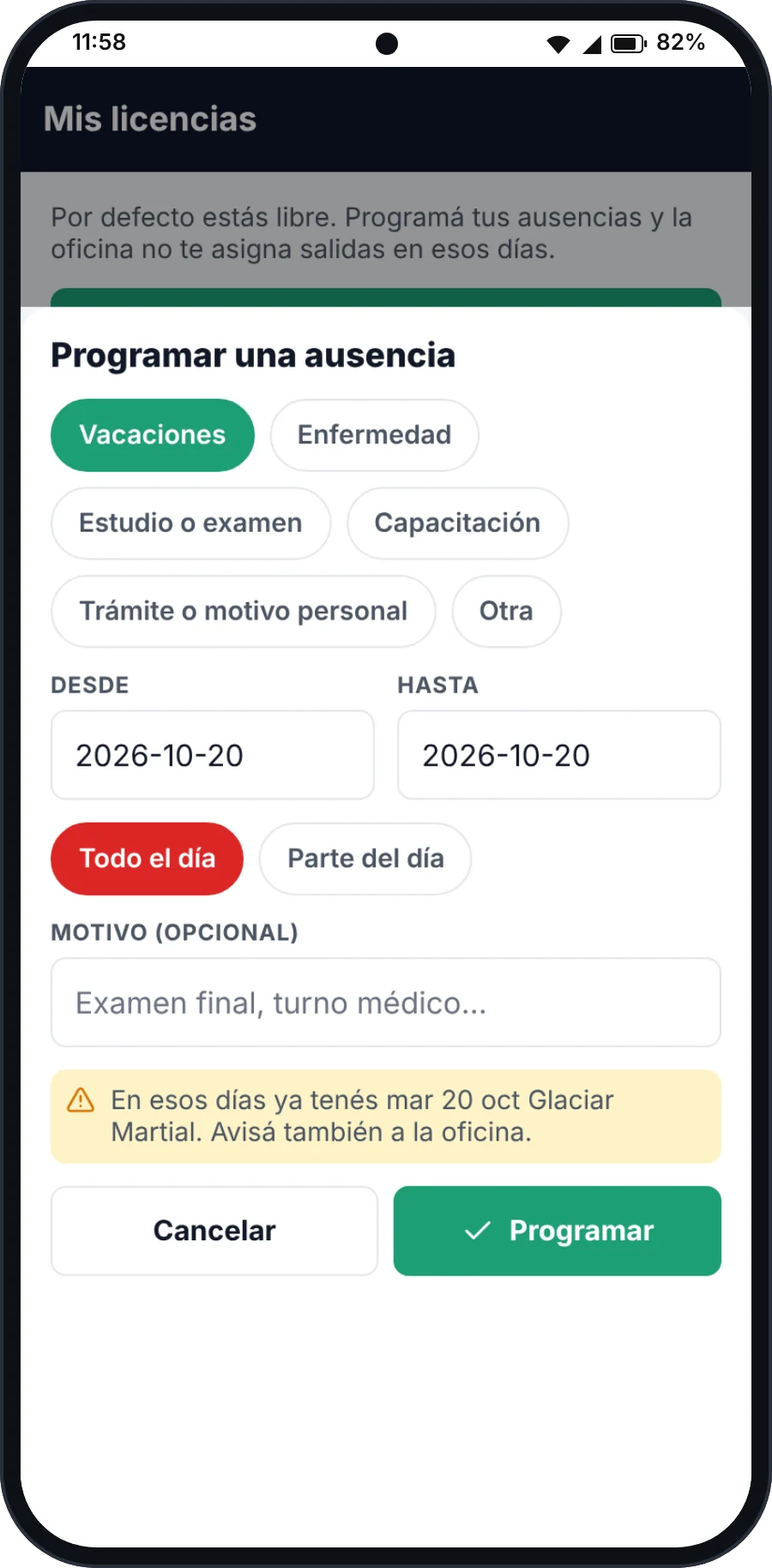
Schedule an absence
Type, days, all day or a time slot. If there is already a departure those days, it warns you.
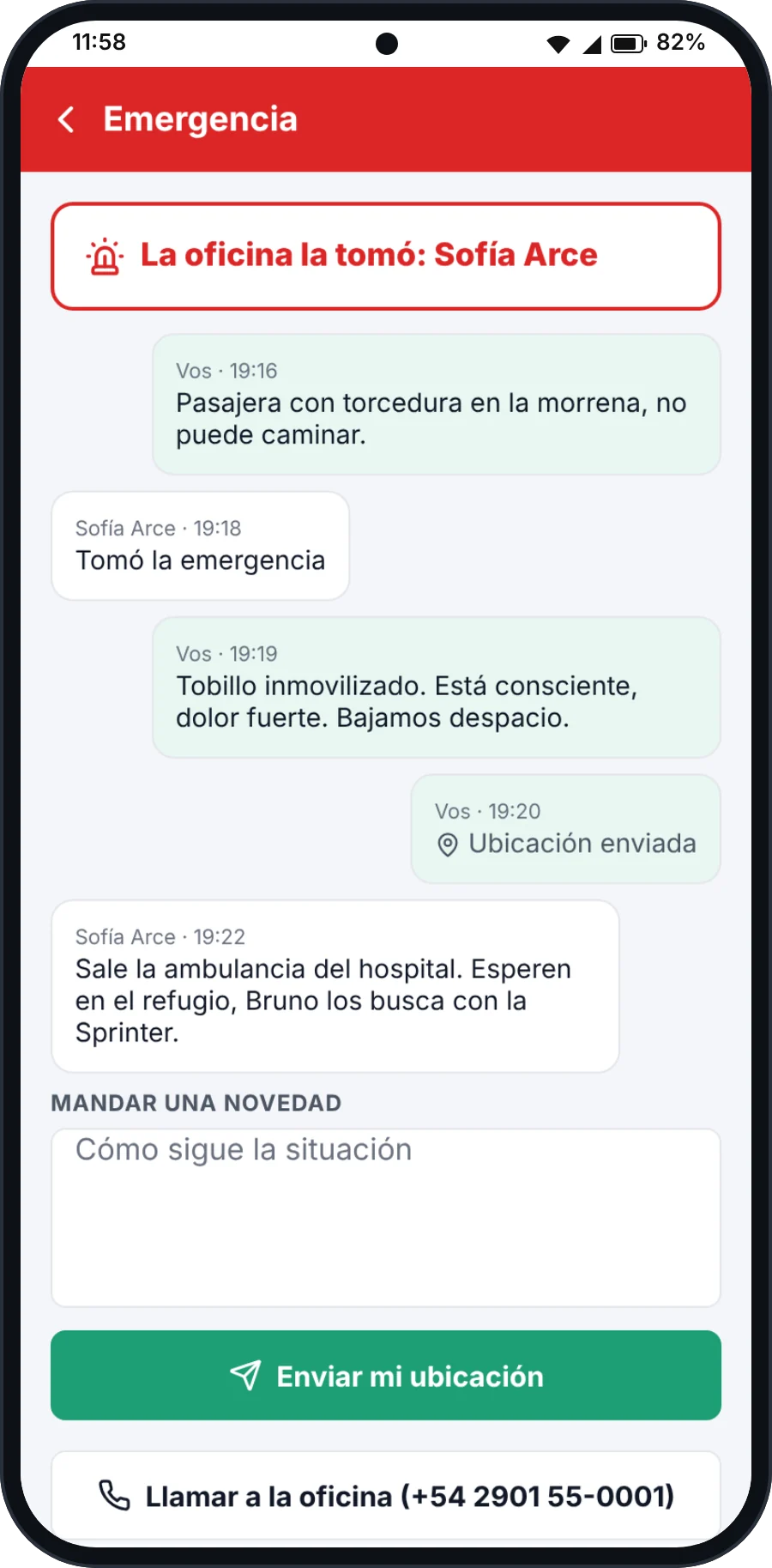
Emergency
One button to alert the office, sharing location and messages in real time.
What it solves
A simple app that puts on the phone the only things guides and drivers need: what they are running today, who is coming, where they are and how to raise the alarm if something happens. It keeps working where there is no signal.
- Schedule of active services
- Passenger manifest by departure
- Geolocation during the activity
- Incidents and leave reported from the phone
What you can do
- See the schedule of services assigned to you
- Open the passenger manifest for each departure
- Mark who turned up and who did not at the meeting point
- Record the start and the end of the activity
- Share your location while the activity is running
- Report an incident from the phone
- Keep working with no signal and sync on the way back
- Schedule holidays, exams or errands, and see the leave history
- Use the app in Spanish, English or Portuguese
A real case
Horseback ride in the quebrada, without a single bar of signal
The situation
One guide, nine riders and five hours with no coverage.
- 01
Before heading out, the guide opens the app and already has the manifest with the nine names and their notes.
- 02
He marks the activity as started and runs the headcount with the phone in his hand.
- 03
During the ride the app stores everything locally: no signal, no problem.
- 04
Back in coverage, the activity syncs on its own with times, headcount and notes.
What you end up with
The office knows the group went out complete and came back, without a single phone call or a soaked sheet of paper.
How you get it
It is an add-on billed per user on top of your plan: $10 a month for each guide or driver with app access. It requires the Operations module.
See pricing+$10per user a month
Load one of your own departures and see how it looks.
No video, no guided tour: it is your account, with every module open, so you can try it on data you recognise.
15 days · no card · closes itself if you stop there