

What it looks like
What it solves
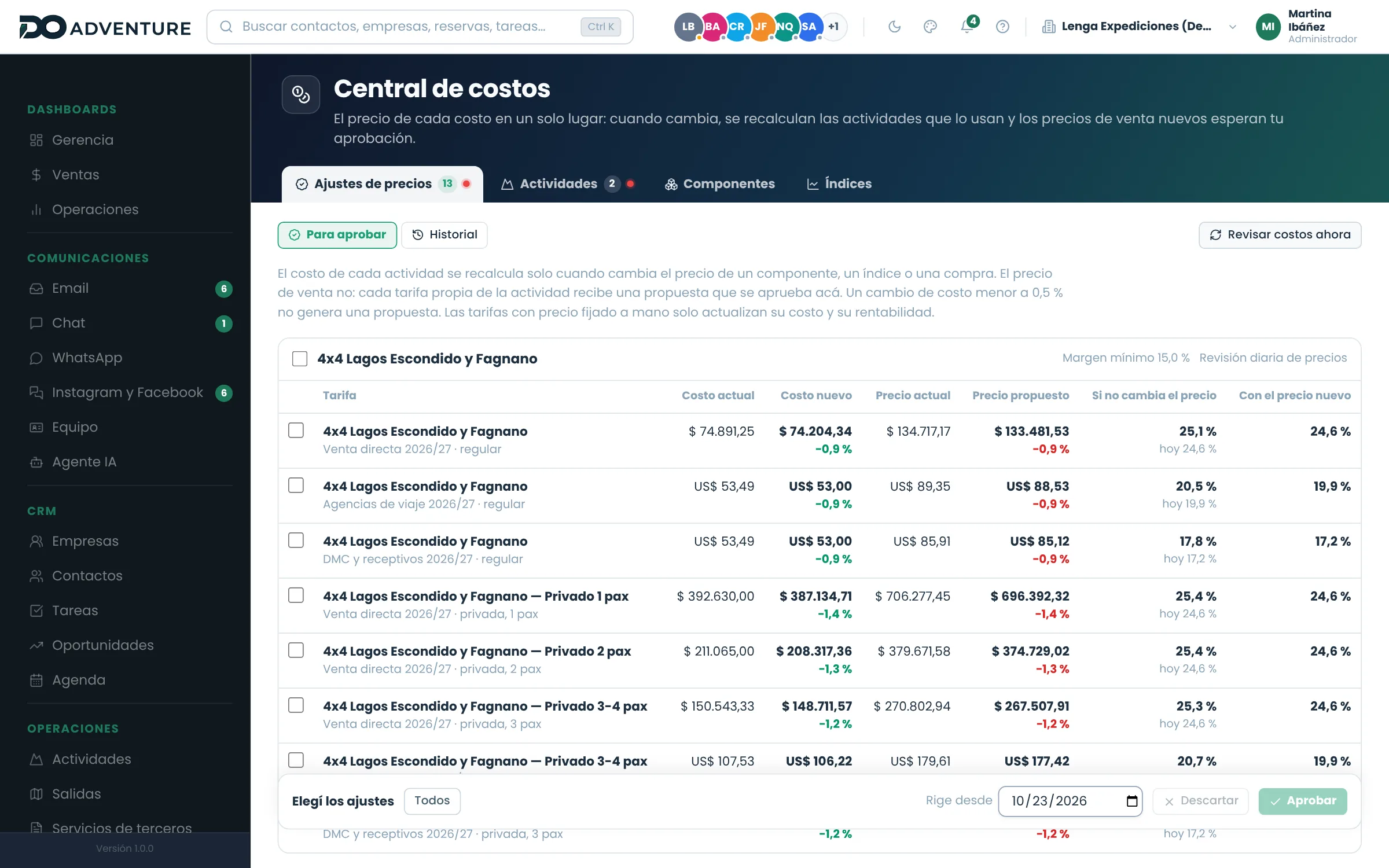
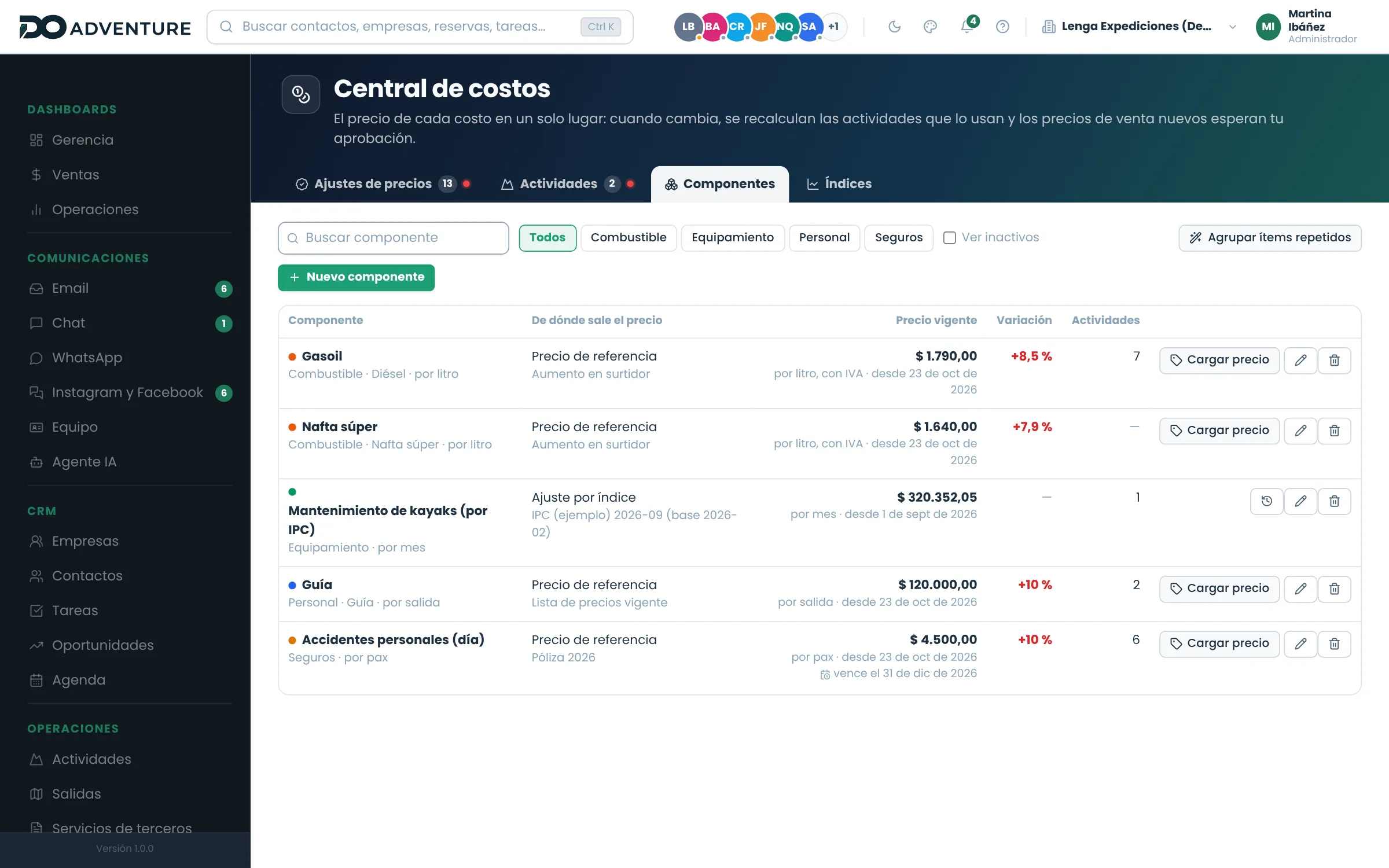
Every cost —fuel, guides, drivers, insurance, meals, equipment— has its price in one place, with history and where it comes from: a reference price, a supplier rate, the last purchase or an index such as the CPI. When it changes, every activity that uses it is recalculated and each of your own rates gets a proposed selling price that is approved before it applies.
- Cost components with current price, history and expiry
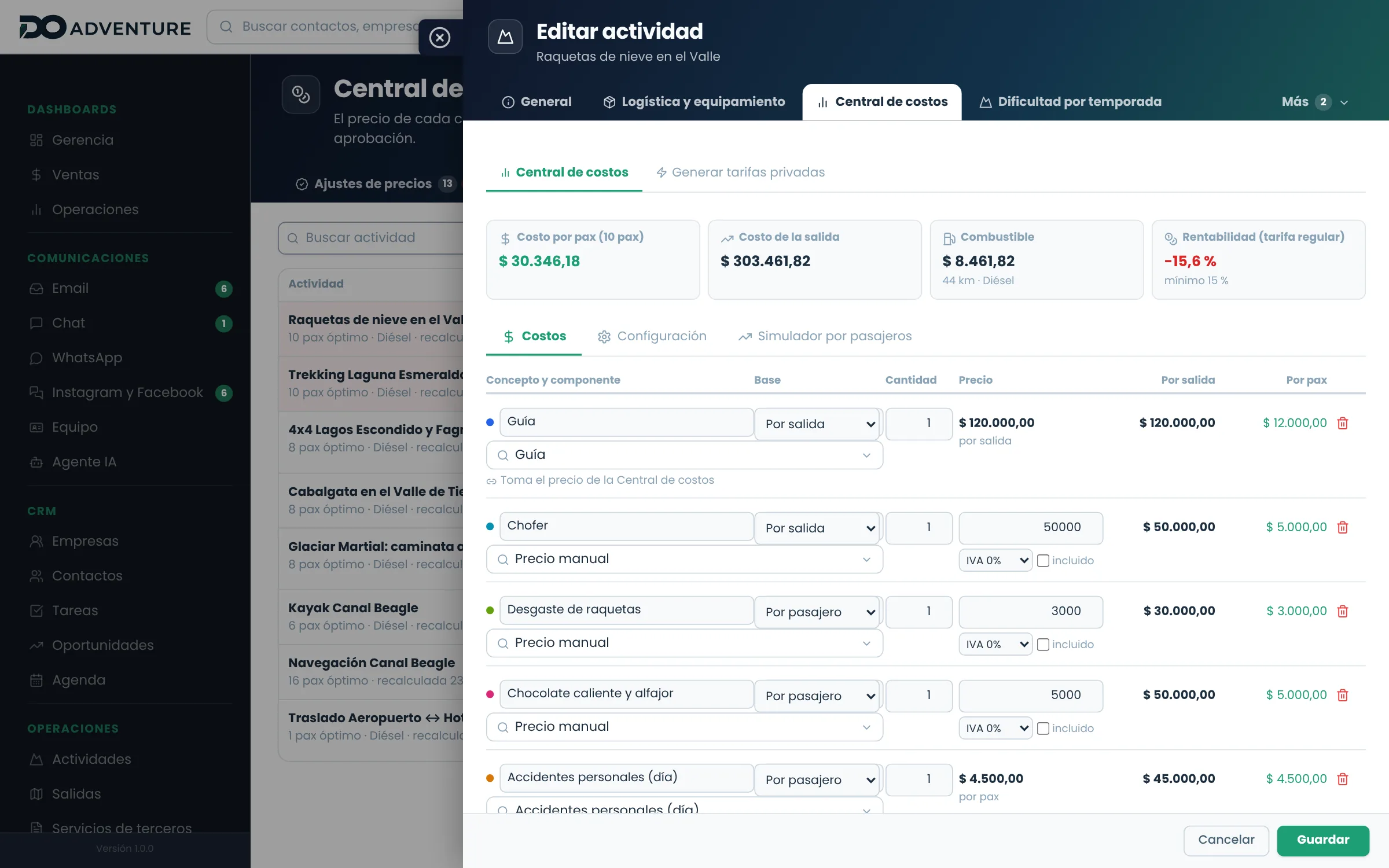
- Fuel by type, using each vehicle's consumption and the activity's kilometres
- Fees per day, per departure or per hour, different for guide, driver or coordinator
- Proposed selling prices that are approved, with the date they apply from
What you can do
- Enter a component's price with the date it applies from
- Adjust costs by a monthly index entered by the admin team
- Take the price from a supplier rate or from the last purchase received
- Work out fuel from each vehicle's fuel type and consumption
- Simulate the cost per guest by group size and the guides needed
- Set a minimum margin per activity and get a warning when it is not met
- Approve or discard proposed selling prices, today or from a date
A real case
Diesel goes up 8%
The situation
Seven activities use diesel 4x4s and the pump price changed on Tuesday.
- 01
The admin team enters the new diesel price in the cost center.
- 02
The seven activities are recalculated with each vehicle's kilometres and consumption.
- 03
Each of your own rates gets a proposed selling price, with profitability before and after.
- 04
Management approves the adjustments to apply from Monday and discards the one for a promotion.
What you end up with
Prices follow costs without rebuilding spreadsheets, and nothing changes in sales without someone approving it.
Load one of your own departures and see how it looks.
No video, no guided tour: it is your account, with every module open, so you can try it on data you recognise.
15 days · no card · closes itself if you stop there